Over 25 YEARS in the Two-Way Radio Industry!

Motorola BPR45 resource center

Motorola BPR45 Resource Hub

Set up your Motorola BPR45 with quick-start steps, USB-C programming guidance, official documents, troubleshooting, and verified accessories from Two Way Radio Gear.

Motorola BPR45 Resource Hub

Choose a task

What do you need help with?

Go straight to the job you are trying to finish. Every topic below uses the information attached to this exact radio model.

Start here

Quick start

The shortest path from opening the box to basic operation.

Open the quick-start guideFocus on the essential steps without leaving this page. Open guideClose guide
Model-specificStep-by-step

To set up a Motorola BPR45, charge the battery, attach the correct antenna, select a channel configured for your team, and test a call. The BPR45 is an analog business radio; a matching channel number alone does not establish compatibility with an existing fleet.

  1. Charge the BPR45 battery fully before the first shift using the supplied approved charger or the built-in USB-C charging connection.
  2. With the radio switched off, fit the battery securely and attach the antenna specified for the radio’s UHF or VHF band. Do not swap antennas between bands.
  3. Turn the radio on, set a comfortable volume, and choose the channel assigned to your team. Ask your radio administrator which programmed zone and channel to use.
  4. Press and hold Push-to-Talk to speak, then release it to listen. Test both directions with another team radio before handing units to staff.
  5. If the test fails, check band, analog operation, programmed transmit/receive frequencies, and signaling with the fleet administrator. Have the channel plan checked before changing settings.

Open the Motorola BPR45 online user guide

Read Motorola’s BPR45 manufacturer FAQ (PDF)

Ask a specialist

Fleet setup

Programming

Keep a known-good configuration and make every radio in the fleet match.

Open the configuration guideWork through the model's software and setup procedure. Open guideClose guide
Model-specificFleet setup

The Motorola BPR45 supports USB-C programming and up to 64 channels across four zones. Ask Two Way Radio Gear for the current BPR45-compatible software and connection requirements before attempting a configuration change.

  • For an existing fleet, send the radio model numbers, UHF or VHF band, and current channel plan to Two Way Radio Gear. Include the authorized operating frequencies so the configuration can be matched correctly.
  • Use software explicitly approved for the BPR45 and a data-capable USB connection. A cable that charges the radio may not transfer programming data.
  • Preserve the current configuration before making changes. Keep one verified fleet configuration and a record of each zone, channel, and assigned team.
  • After configuration, test transmit and receive between the BPR45 and the radios it must communicate with. Test at the locations where staff will actually use them.
  • MOTOTRBO radios must use a matching analog configuration to communicate with a BPR45. The BPR45 cannot join a DMR digital conversation.
Ask a specialist

Product literature

Documents

Open the available files in a new tab so you keep your place in the hub.

Common questions

Frequently asked questions

Compatibility, licensing, setup, and support answers for this model.

Is the Motorola BPR45 analog or digital?
The Motorola BPR45 is analog only. BPR45 radios can communicate with compatible analog fleets, including MOTOTRBO radios configured for matching analog operation.
How many channels and zones does the BPR45 support?
The Motorola BPR45 supports up to 64 channels across four zones. The channels available on a particular radio depend on its programmed configuration.
Can a UHF BPR45 talk to a VHF BPR45?
No. UHF and VHF BPR45 radios operate in different frequency bands. Choose the same band as the fleet you need to communicate with.
How do I program a Motorola BPR45?
The Motorola BPR45 supports programming through its built-in USB-C connection. Contact Two Way Radio Gear for current BPR45-compatible software and help matching your fleet’s analog channel plan.
How long does the BPR45 battery last?
Motorola specifies typical BPR45 battery life of up to 16 hours using a 5% transmit, 5% receive, and 90% standby test profile at maximum transmitter power. Actual runtime varies with use.
Can I use a BPR50dX battery in a BPR45?
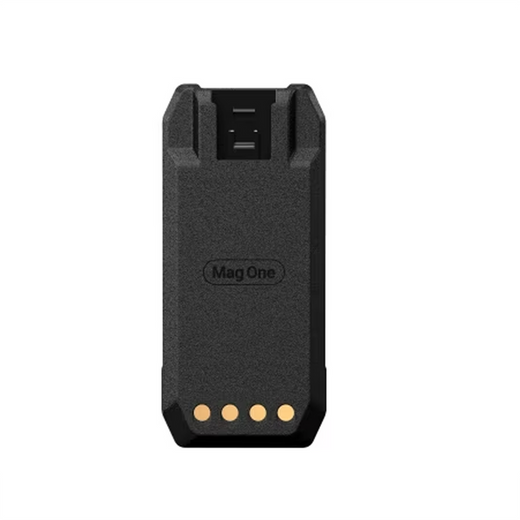
No. Motorola states that the BPR45 and BPR50dX batteries are not interchangeable, even though both have a 2200 mAh capacity. The BPR45 replacement battery sold by Two Way Radio Gear is PMNN4908.
Which chargers fit the BPR45?
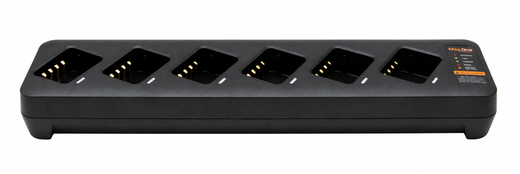
Motorola lists PMLN8599B as a compatible single-unit charger and PMLN8893A as a six-pocket multi-unit charger. The older PMLN8599A charger is for BPR50dX only. Check the complete part number before ordering.
Which earpieces and speaker microphones fit the BPR45?
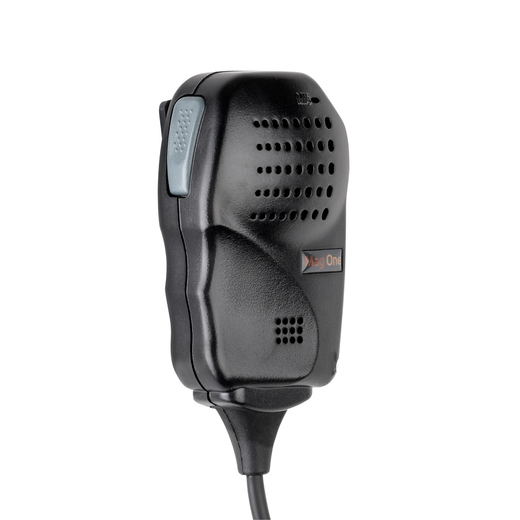
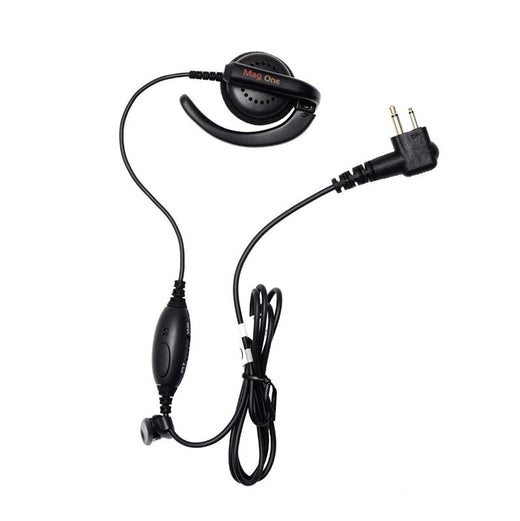
Motorola confirms BPR45 compatibility for the PMLN6531 ear receiver and PMMN4092 remote speaker microphone, among other listed Mag One audio accessories. Confirm the exact accessory part number rather than relying on a similar-looking connector.
Is the BPR45 waterproof?
The Motorola BPR45 is rated IP55 for dust and water ingress protection. IP55 does not mean the radio can be submerged.
Where can I find BPR45 manuals and support?
Use the Motorola online BPR45 user guide and the BPR45 data sheet linked on this hub. Two Way Radio Gear can help with fleet configuration and accessory selection at 1-800-984-1534.

Keep it running

Troubleshooting

Fast checks for the issues that create the most support calls.

Open the troubleshooting guideReview the most likely causes in one focused view. Open guideClose guide
Model-specificCommon checks

Start BPR45 troubleshooting with power, volume, accessories, and the fleet configuration. Avoid a factory reset while diagnosing a problem; it can remove the working channel plan.

  • Radio will not power on: confirm the battery is charged and seated securely. Inspect the battery and charger contacts for dirt or damage. If a known-good charged battery does not help, contact support.
  • Cannot hear the team: check the volume and assigned zone/channel. Remove an attached earpiece or speaker microphone to test the built-in speaker, then have the band and analog configuration compared with a working radio.
  • Team can hear you but you cannot hear them: test without an audio accessory and confirm both radios’ transmit/receive configuration with the fleet administrator.
  • Coverage drops in part of the site: check the correct antenna and battery charge, then compare performance in an open area. Record the locations where calls fail so support can distinguish a coverage issue from a single-radio fault.
  • USB connection charges but programming fails: check that the cable supports data and that the installed software explicitly supports BPR45. Stop if the software cannot identify the radio correctly.
  • Charger or replacement battery does not fit: BPR50dX batteries are not interchangeable with BPR45 batteries. The older PMLN8599A charger supports BPR50dX only; the BPR45 requires an approved compatible charger.
  • Still need help? Call Two Way Radio Gear at 1-800-984-1534 with the radio model, accessory part number, and a short description of the problem.
Ask a specialist

Compatible gear

Accessories

Products linked to this exact model in the resource catalog.
Fleet support

Need a human to check the plan?

Tell us what your team uses today and what needs to work. We can help with radio selection, fleet sizing, programming, and accessories.

Talk to a specialist

Radio consultation

Talk to a radio specialist

Tell us about your team and radio needs. The BPR Series is already selected.