

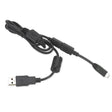
Motorola HKKN4027A Programming Cable for RDX, RM, DTR, DLR, CLS and...
Motorola HKKN4027A Programming Cable
Programming Cable • PC-to-Radio • Genuine Motorola • For RDX, RM, DTR, DLR, CLS & CLP Radios
The Motorola HKKN4027A Programming Cable connects your two-way radio to your PC so you can change channels, settings, and features using Motorola CPS software. It is a genuine Motorola accessory that makes fleet setup fast and consistent across your team. Browse more business two-way radios and accessories to complete your setup.
Compatible Radios
The HKKN4027A programs Motorola DTR600/700, RM Series, CLP Series, RDX Series, DLR Series, and CLS Series radios. This includes the RMU2040, RMU2080, RMU2080D, RMV2080, and RMM2050 (RM Series); the CLP1010e and CLP1080e (CLP Series); the RDU4100, RDU4160d, and RDV5100 (RDX Series); the DLR1020, DLR1060, and CURVE DLR110 (DLR Series); and the CLS1110 and CLS1410 (CLS Series). Not sure if it fits your model? Call 1-800-984-1534 or contact our radio experts and we'll confirm compatibility.
Key Features
PC-to-Radio Connection
Links your radio to a computer so you can program settings with Motorola CPS software.
Fast Fleet Setup
Configure channels and features once, then copy them across every radio in your team.
Wide Compatibility
Works across Motorola RDX, RM, DTR, DLR, CLS, and CLP series radios.
Genuine Motorola
An OEM accessory designed and tested to fit and perform with your Motorola radios.
Frequently Asked Questions About the Motorola HKKN4027A Programming Cable for RDX, RM, DTR, DLR, CLS and CLP radios
• Which radios does the HKKN4027A program?
The HKKN4027A is compatible with Motorola DTR600/700, RM Series, CLP Series, RDX Series, DLR Series, and CLS Series radios, including the RMU2040, CLP1010e, RDU4100, DLR1060, and CLS1410. Contact us if you're unsure about your model.
• What do I need to program my radio with this cable?
Connect the HKKN4027A from your radio to your PC, then use the matching Motorola CPS software to change channels, settings, and features. The cable handles the physical connection between the radio and your computer.
• Need help choosing the right accessory?
Call our radio experts at 1-800-984-1534 or contact us and we'll match the right gear to your fleet.